
Create EC2 and BT Deployment
1. Disable auto-assign public IP. Allocate an Elastic IP at the end and bind it for a fixed address.
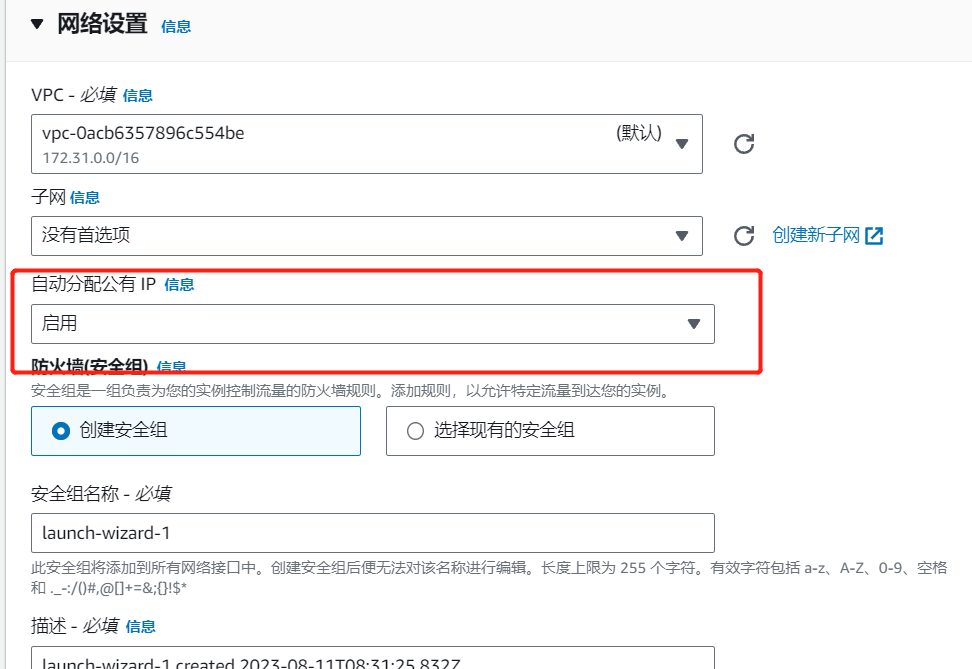
2. Security Group Settings
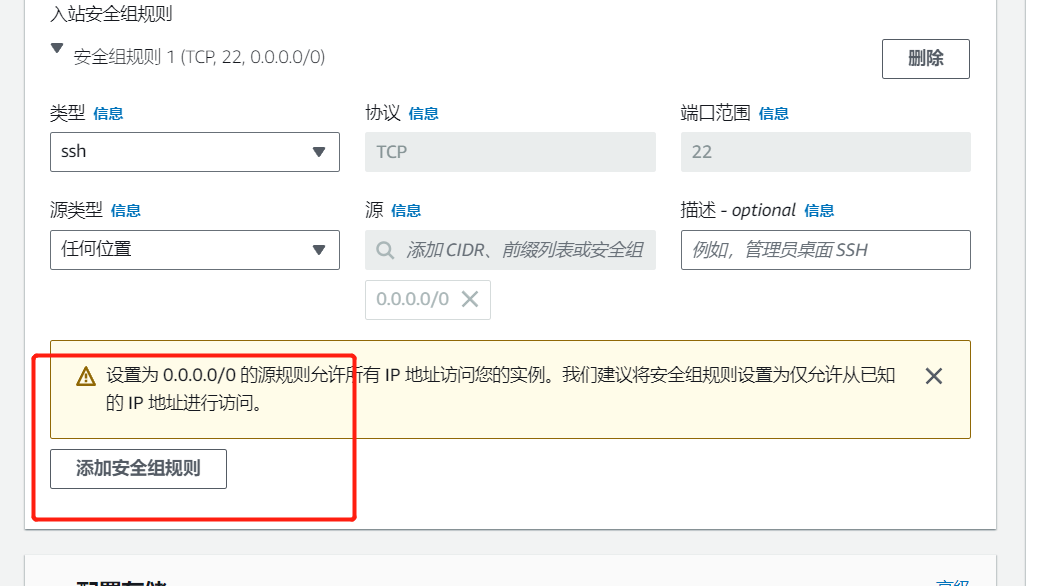
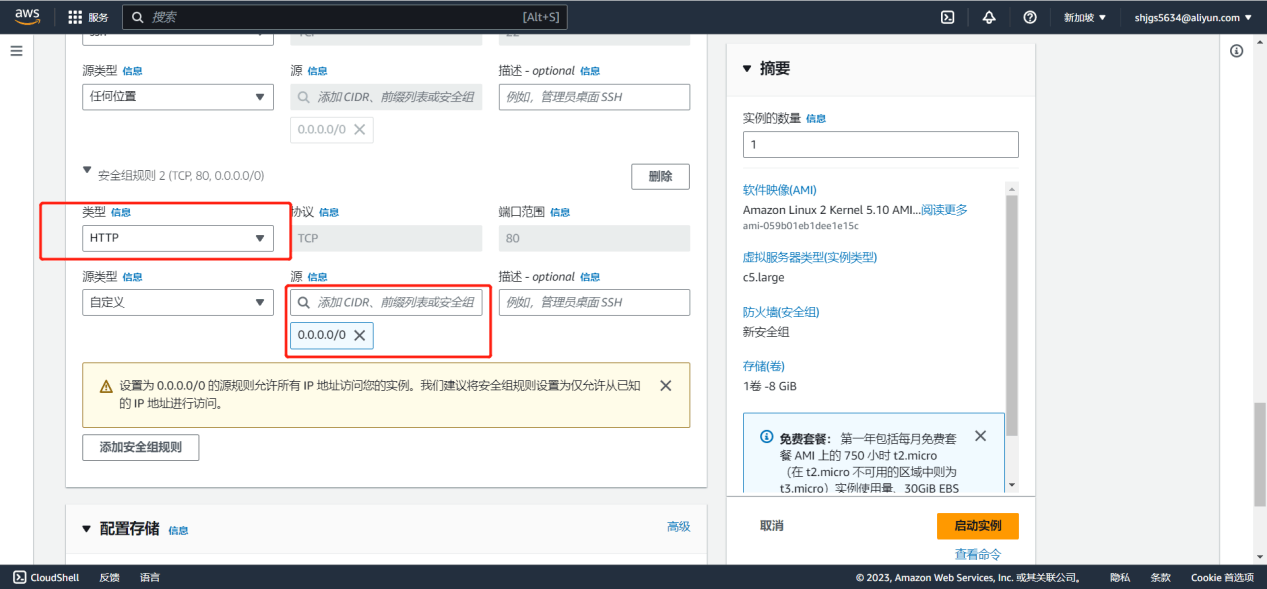
Add security rule to allow HTTP port
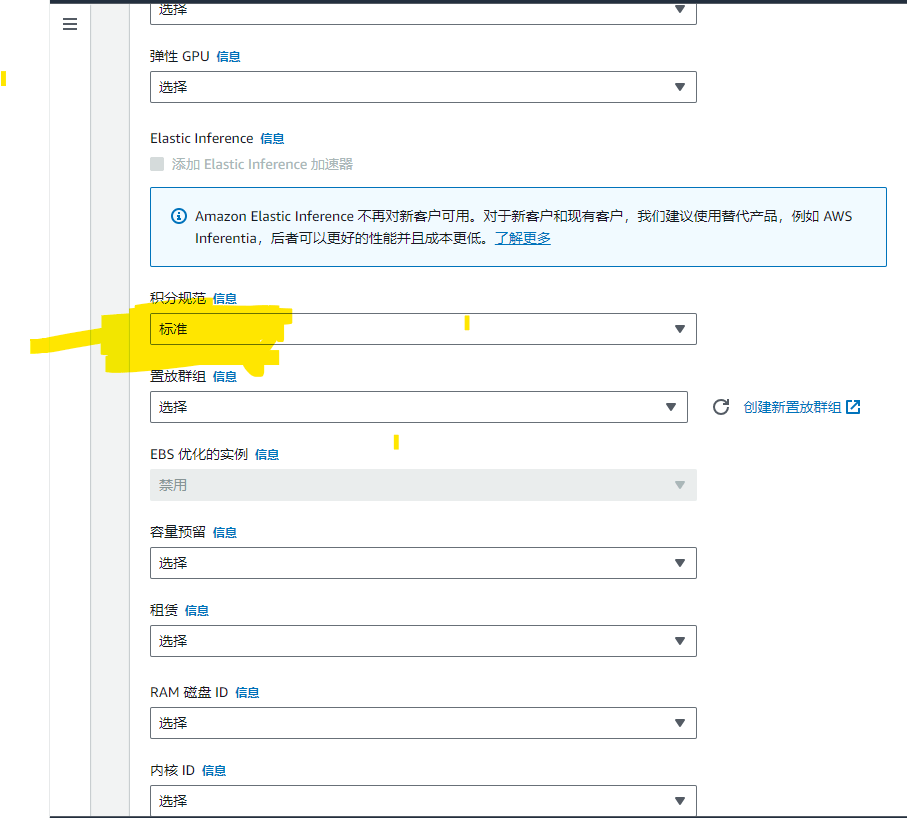
For T-series machines, change CPU Credit specification to "Standard" in advanced settings when launching EC2
3. In Advanced Details, add the following code snippet at the end
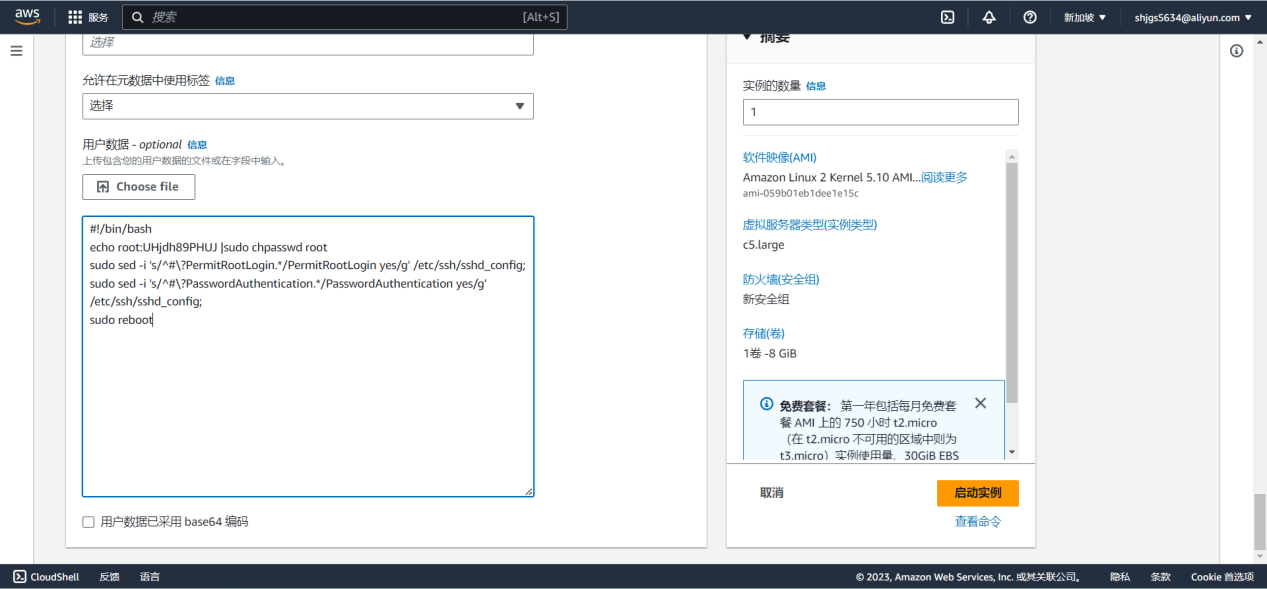
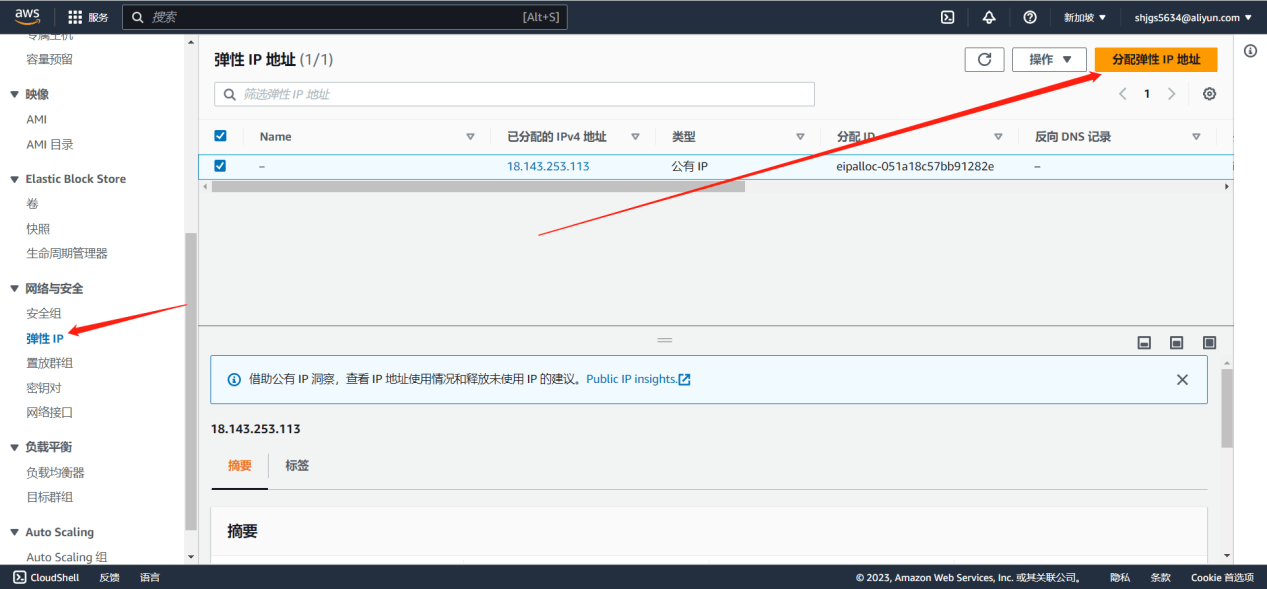
4. Create an Elastic IP
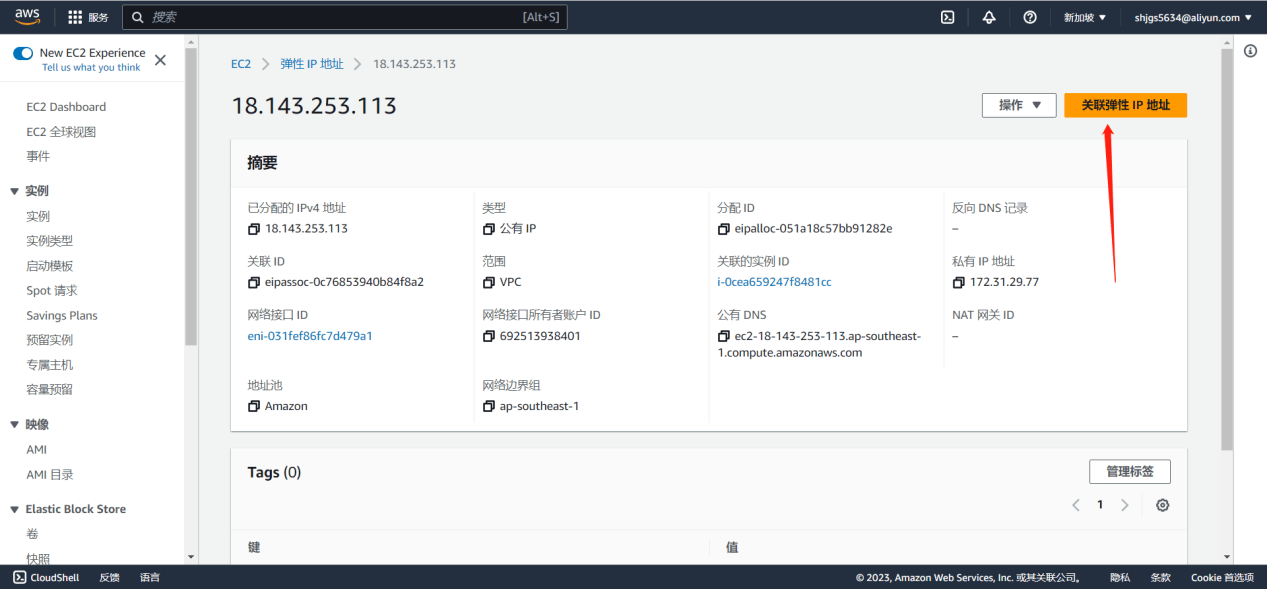
5. Associate Elastic IP
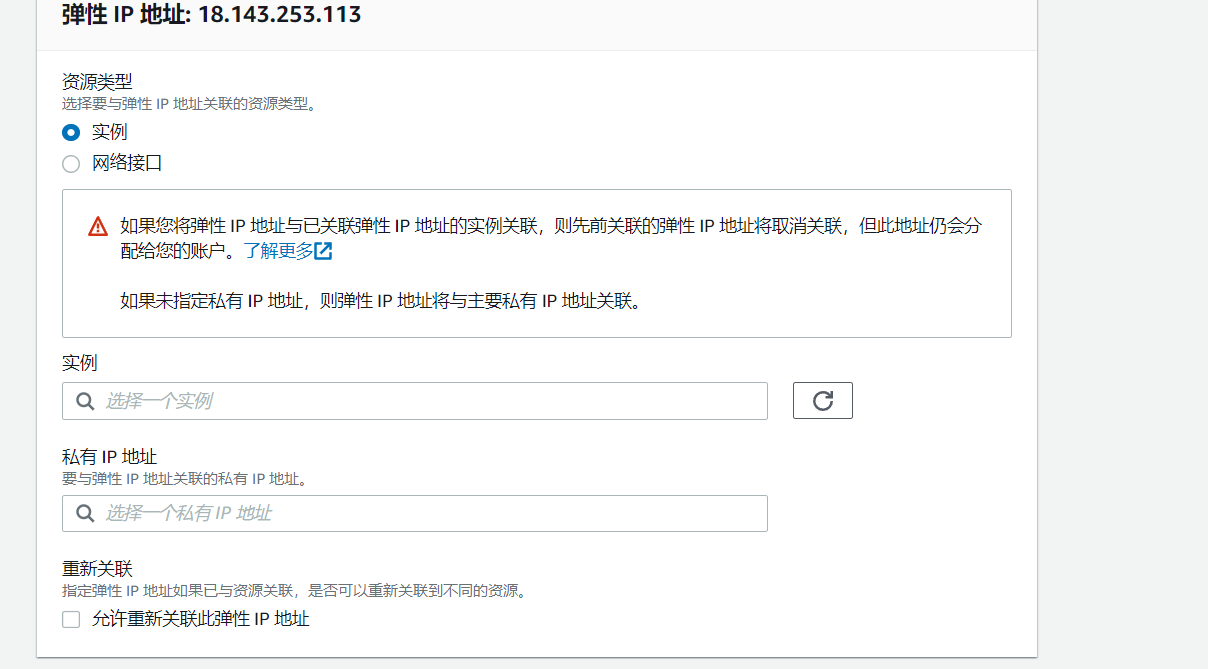
Associate with the created instance
Naming rule for created EC2: Client-Region-Time
Tag: Key: Name Value: Client-Region-Time-Operator
Volume Tag: Key: Name Value: Client-Region-Time-Operator
For Lightsail: Key: client Value: Client-Region-Time-Operator
6. Install BT Panel on the Server
Script website: https://www.bt.cn/new/download.html
BT Account: 18856672250
Password: q12547788!
CentOS Installation Script
yum install -y wget && wget -O install.sh https://download.bt.cn/install/install_6.0.sh && sh install.sh ed8484bec
Ubuntu/Deepin Installation Script
wget -O install.sh https://download.bt.cn/install/install-ubuntu_6.0.sh && sudo bash install.sh ed8484bec
Debian Installation Script
wget -O install.sh https://download.bt.cn/install/install-ubuntu_6.0.sh && bash install.sh ed8484bec
Universal Installation Script
if [ -f /usr/bin/curl ]; then curl -sSO https://download.bt.cn/install/install_panel.sh;else wget -O install_panel.sh https://download.bt.cn/install/install_panel.sh;fi;bash install_panel.sh ed8484bec
LoongArch Installation Script (Do not use for other CPUs)
wget -O install_panel.sh https://download.bt.cn/install/0/loongarch64/loongarch64_install_panel.sh && bash install_panel.sh ed8484bec
7. After installation, access the BT Panel externally
Use the output information after installation to access the external panel and log in using the provided credentials
If you forgot the panel password
cd /www/server/panel && btpython tools.py panel testpasswd
Access via SSH. It's recommended to install BT SSH Client (Free / Simple / Chinese / Multi-tab). To reset the password, enter the following command (replace “testpasswd” with your new password)
If login fails multiple times and is temporarily blocked, run this command to clear the restriction
rm -f /www/server/panel/data/.login